Affichage des articles dont le libellé est Phone. Afficher tous les articles

Watch Any TV Channel on Your Android Mobile For Free

Watch Any TV Channel on Your Android Mobile For Free


Android TV is A Mobile Television Network that allows you to watch Android TV Channels completely free on almost any Internet-enabled mobile phone or other device using WAP, 2.5G, 3G, 4G or Wi-Fi. The RocketHDTV network features over 100+ live and linear channels across several genres including Music,Fashion,Bollywood, Entertainment,News and Sports Free MobileTV Live English TV Hindi TV Malayalam TV Marathi TV Tamil TV Telugu TV Kannada TV Punjabi TV Bengali TV Gujarati TV Bihari TV Bollywood B4U 9XEV HuntBollywood Bollywood Movies Bollywood Cinema 1Bollywood Cinema 2Bollywood Action Bollywood Independent CinemaFilms of India 9XM 9X Jalwa 9X TashanHindi MoviesSEPL Movies IndiaSEPL Movies Hindi Bhojpuri Movies News France 24 DW Aaj Tak RT NTD Television Entertainment TipstR TV Prime TV Channel S Game Rush TV Cover Showbiz RT Films Green TV ComedyZoomin Lifestyle English HolidayKitchen BabaRamdev TVWWF Greenpeace Venus TV Music 4Music TV The Wild Life Pop Beat TV Clubbing TV Musik Ibiza


 Download the App

Read More

Nokia 6 Android Smartphone Officially Revealed with a Teaser Video

Nokia 6 Android Smartphone Officially Revealed with a Teaser Video


Finally, The long wait is over. Nokia has released a teaser poster and a video of upcoming Android smartphone Nokia 6 on its official website. The website has a teaser video with a tagline “The first Nokia smartphone powered by Android™. China exclusive”, meaning the smartphone will be only available in China for now. not figure out much about the device by watching the video because the device is exclusive to the Chinese market, so the video is in its local language.
You may not figure out much about the device by watching the video because the device is exclusive to the Chinese market, so the video is in its local language.


But here are the  important Nokia 6 features which are shown in the video
Read More

You can now pre-register for Super Mario Run on Android!

You can now pre-register for Super Mario Run on Android!

It looks like the temporary exclusive between Nintendo and Apple for Super Mario Run is coming to an end, which means you'll soon be able to enjoy the latest punch to the nostalgia on your Android phone. That means everyone not quite satisfied with playing emulated Mario on phones can soon enjoy the portrait-only, single button, competitive online version of Mario inspired by everything you remember from your childhood. All you need to do now is pre-register and wait, which is totally different from the waiting you were already doing right?
Super Mario Run exploded onto iOS recently, quickly becoming the highest grossing mobile game and holding that title for about a week. The game gives you access to the first three levels in the first world for free, but asks you to pay $10 to access the rest of the game. Whether this experience deserves your money is entirely up to you, but the more you play the game the more you earn race tickets, which allows you to compete directly against other Super Mario Run players to see who can grab the most coins before time runs out. If you have a lot of friends playing the game with you, this part of Super Mario Run quickly becomes addictive.


Head to the Play Store to pre-register for Super Mario Run if you want in on the game as soon as it becomes available!
Read More

How to download and play Super Mario Run

How to download and play Super Mario Run

Super Mario Run just launched in the App Store, so you can download it right now for free* (more on that below) on your iPhone and iPad.
Nintendo nailed the official December 15 for iPhone and iPad release date and it’s being made available in 151 countries around the world.
If you’re keen to play Nintendo’s iconic character on your iOS smartphone or tablet, read on to find out how you can download and play Super Mario Run right now.


Wondering when the Android version will release? So are we. Head down to see what we know.

How to download and play Super Mario Run on iOS

If you have an iOS device, such as an iPhone or iPad, then you’re in luck, as Super Mario Run is available for iOS owners first, with an Android version coming at some point soon in 2017.
To download Super Mario Run for iOS, open up the app store on your iPhone or iPad and search for ‘Super Mario Run’.


Simply tap "get" to have access to the app, but be warned: you'll have free access to only the first few levels. After that, you'll need to spend $9.99 (£7.99, about AU$13) to get the full game. 
Before you move forward with the purchase, you’ll need to make sure you have permission to buy the game before continuing. Tap the button to purchase the game, and it will download and install automatically. You can now play every single level of Super Mario Run on your iOS device.
Keep in mind that Nintendo's runner is an online-only game, meaning that you can't boot into it if you don't have either a Wi-Fi or cellular connection. This will definitely be a problem for some, but not others. So, it's good to at least consider it before putting your money down on the app.

How to download and play Super Mario Run on Android

At the moment, Super Mario Run is only available for iOS devices, though it will make its way to Android phones and tablets in the future. We don’t have a date on when it will launch, but we’ll update this guide as soon as we know when you can download and play Super Mario Run on your Android device.


So does this mean that Android owners have no hope of downloading and playing Super Mario Run right now? Not necessarily.
While there are emulators on the internet that promise to allow you to run iOS apps on Android, we’d recommend avoiding these. We tried a few out, and many did not do what they promised, and many websites that claimed to host iOS emulators for Android devices has lots of links to risky software.
All iOS emulators for Android are available as apk files, which require you to allow your Android device to download and install software from untrusted sources, which can put your device at risk. Considering the risks involved, we don’t think it is worth it to play Super Mario Run on Android. 
It’s better to wait for the official release.
You may also see websites promising Super Mario Run apk files for downloading the game to Android. These are not legitimate files and could put your Android device at risk if you install the apk file on your device.
If you’re absolutely desperate to play Super Mario Run right now, then you’ll need an iOS device. Super Mario Run requires iOS 8, so you can buy a second hand iOS device, such as the iPod Touch, from eBay. The following older devices support iOS 8: 
  • iPhone 4S
  • iPhone 5
  • iPhone 5C
  • iPhone 5S
  • iPod Touch fifth generation
  • iPad 2
  • iPad with Retina Display
  • iPad Air
  • iPad Mini
  • iPad Mini with Retina Display


Have you got any suggestions of ideas for getting Super Mario Run to download and play on Android? Let us know in the comments section and we'll add it to this guide!
Editor's note: A previous version of this article was headlined 'How to download and play Super Mario Run on iOS and Android', in reference to the fact many people were trying to play it on multiple platforms. Despite adding in advice against trying to play the game on Android, we've decided to remove the reference from the headline to prevent people thinking that it's safe to do so at the current time.
We'll update the article as further information becomes available.
Read More

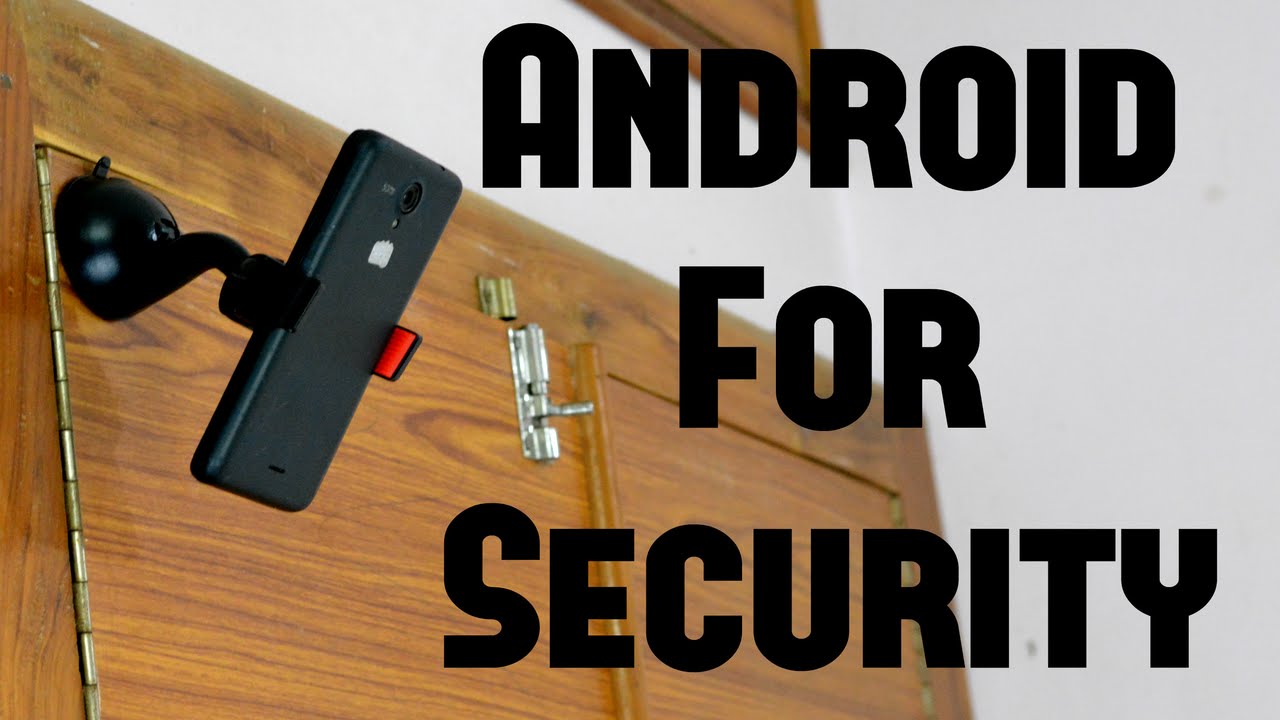
Turn Your Phone's Camera as a Security Camera

Turn Your Phone's Camera as a Security Camera

Résultat de recherche d'images pour "security camera phone"Hey everyone ,
in this short blog i 'm gonna show you how to use your phone's camera as a security camera .

first of all , you should download and install an app called screen stream mirroring from the play store or app store, there is two versions free and paid (5$) , 


Once on the app , you should watch a video (30 sec) to get 20 minutes of free streaming, you can customise the app settings and change the quality of the cast and more things ,

Switch to your computer or any other device and enter to the link visible on the app (192.???.?.???) , you will see whats on your phone screen on the pc .

You can stream anything you want , and share the link with your friends and they can see what you are streaming ,

If you open the camera app from your phone, and place the phone in windows for example you will see what happening outside directly from the computer , like in this video .
Read More